

App media
Screenshots & Visuals
About this app
About Wi Fi Audio Streaming
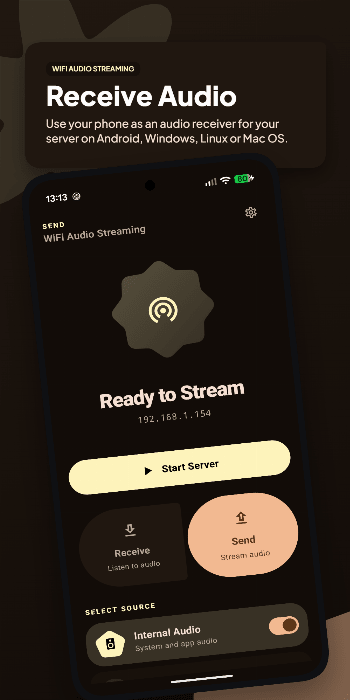
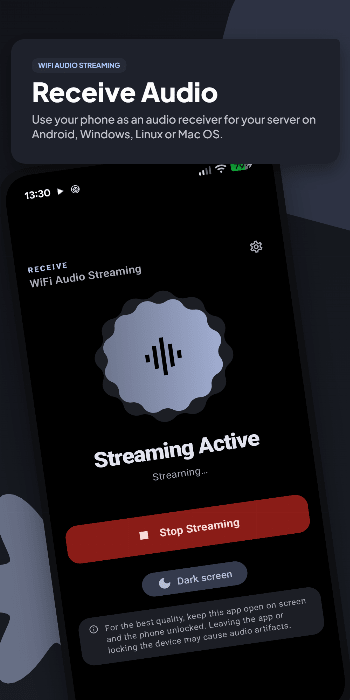
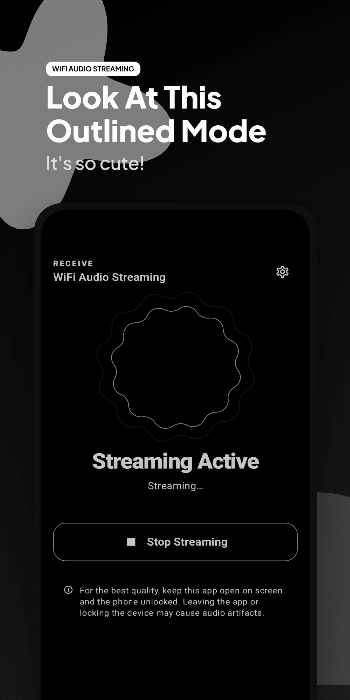
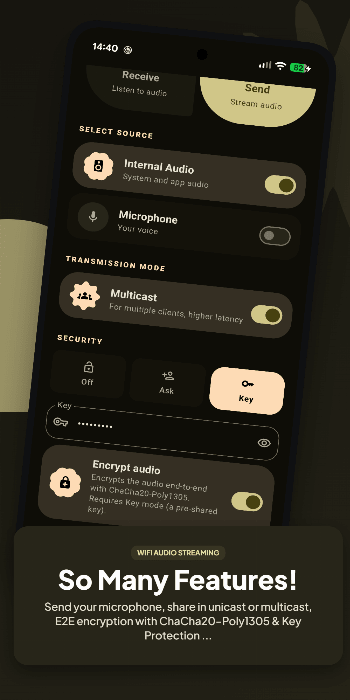
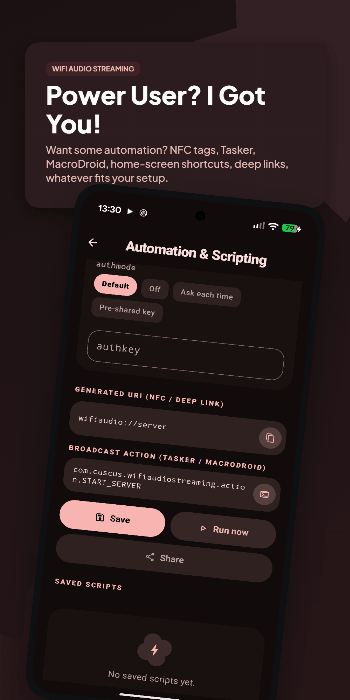
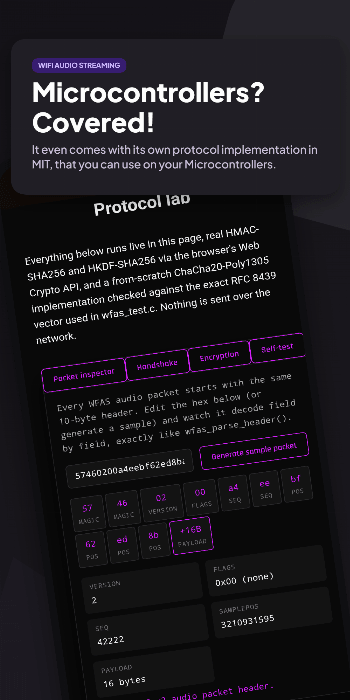
<p><i>WiFi Audio Streaming</i> is a versatile Android application that allows you to stream audio over your local network. It works as a multi-protocol audio hub: act as a server to capture and send your Android device's audio, or as a client to receive and play audio from another device. With support for standard protocols, you can even stream directly to a web browser or media player.</p><p><br><b>Key Features:</b></p><ul><li><b>Multi-Protocol Architecture:</b> Stream using the native low-latency protocol (WFAS v2, now an open, documented specification), standard RTP for media players, or HTTP to listen directly from any web browser (Chrome, Safari, Smart TVs).</li><li><b>Password Protection & Encryption:</b> Control exactly who can connect with Off, Ask, or Key authorization modes, and optionally encrypt the whole stream end-to-end with ChaCha20-Poly1305.</li><li><b>Internal Audio Streaming:</b> In Server mode, stream your device's internal audio (apps, games, music) to other devices (requires Android 10+).</li><li><b>Smart Auto-Connect:</b> Automatically connect to prioritized IP addresses as soon as they are detected on the network, even in the background.</li><li><b>Automation Ready:</b> Trigger the app with shortcuts, deep links, or NFC tags, and save full server/client configurations as one-tap presets.</li><li><b>Widgets & Quick Settings:</b> Control your server or client directly from your home screen using interactive widgets, or use the Quick Settings tiles for instant access.</li><li><b>Automatic & Manual Discovery:</b> Clients automatically find available servers on the local network via a lightweight UDP discovery beacon. Manual IP connections automatically detect if the host is using Unicast or Multicast.</li><li><b>Unicast & Multicast Support:</b> Stream directly to a single device (Unicast) or to multiple clients simultaneously (Multicast), ideal for multi-room setups.</li><li><b>Advanced Configuration:</b> Customize sample rate, channels, buffer size, latency and payload size, and manually select your active network interface to bypass VPN routing issues.</li><li><b>Modern Interface:</b> Rebuilt from the ground up with Jetpack Compose and a full Material 3 Expressive redesign, with dynamic colors and a dedicated Dark Screen mode for OLED displays.</li></ul><p>The project is also available for Windows and Linux! Turn your computer into a wireless audio transmitter, receiver, or web server. Find the desktop version <a href="https://github.com/marcomorosi06/WiFiAudioStreaming-Desktop/" target="_blank" rel="noindex nofollow noopener">at GitHub</a> and <a href="https://gitlab.com/marcomorosi.dev/WiFiAudioStreaming-Desktop/" target="_blank" rel="noindex nofollow noopener">at GitLab</a>.</p><p>The WFAS wire protocol is fully documented and comes with an open-source, dependency-free C99 reference implementation for embedded and firmware projects (ESP32, STM32, RP2040, and more). Find it <a href="https://github.com/marcomorosi06/wfas-protocol" target="_blank" rel="noindex nofollow noopener">at GitHub</a>.</p>
Release archive
Wi Fi Audio Streaming Version History
Keep exploring
Related Apps

Tuningfork
Igor B. Poretsky
Tuningfork is an Android app in the Multimedia category from Igor B. Poretsky. APKClassic currently lists versio…
 →
→
 →
→

Clementineremote
Clementineremote is an Android app in the Multimedia category. APKClassic currently lists version v12.

Finamp
James Harvey
Finamp is an Android app in the Multimedia category from James Harvey. APKClassic currently lists version 0.6.27.

Glyphport
SebiAi
Glyphport is an Android app in the Multimedia category from SebiAi. APKClassic currently lists version 2.0.3.