

Screenshots & Visuals


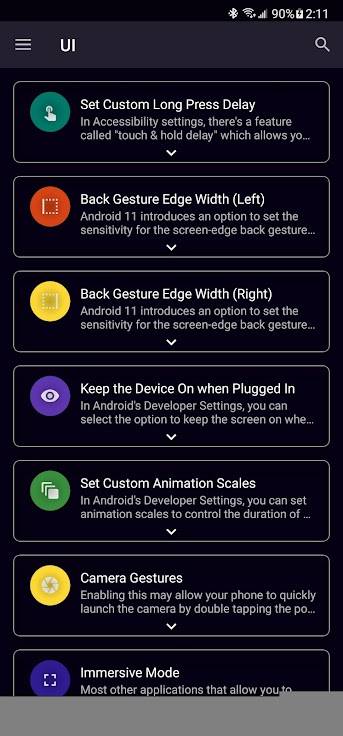
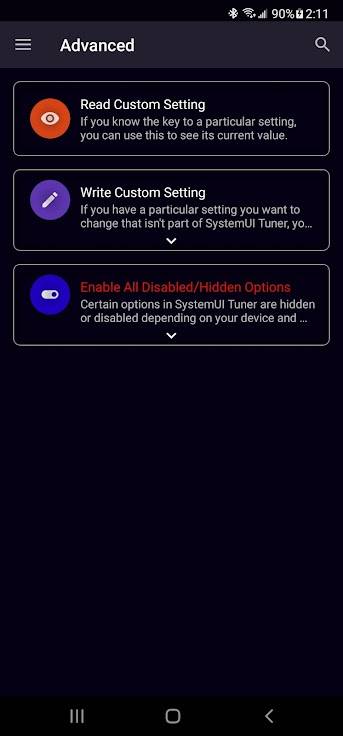
About System UI Tuner
<p>This app aims to fix that problem, by providing a replacement. For the most part, this is a replica of Android’s System UI Tuner; however, there are a few extra goodies that Android’s solution doesn’t include by default.</p>
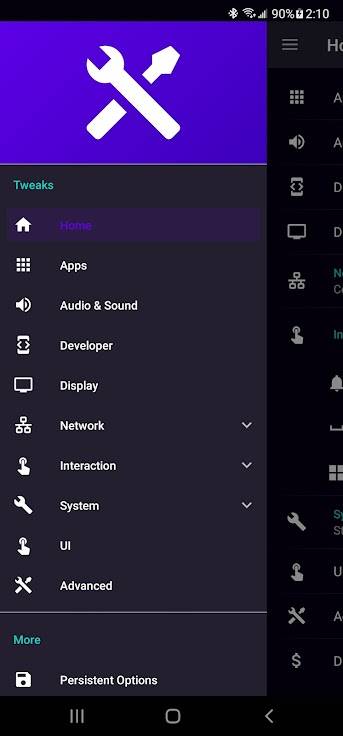
<p>Using this app you can:</p><ul>
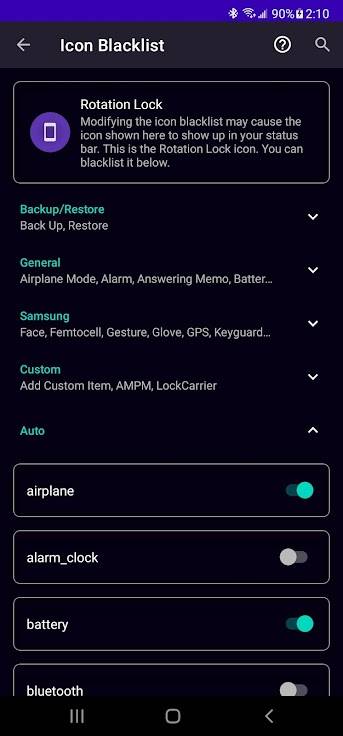
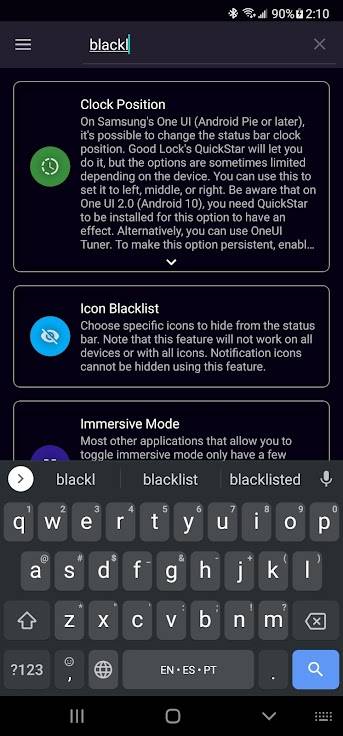
<li>Control which icons appear in your status bar (not every toggle will work on every device).</li>
<li>Customize Demo Mode.</li>
<li>Control the importance level of notifications (7.0+; doesn’t work well on Samsung).</li>
<li>Enable some hidden features of Android.</li>
<li>Toggle Immersive Mode.</li>
<li>Change Quick Settings options (TouchWiz 7.0 users can change the grid size).</li>
<li>Customize animation speeds.</li>
<li>And so much more.</li></ul>
<p>Most features should work on most devices. Heavily customized OEM versions of Android (such as TouchWiz/Samsung Experience/One UI, EMUI, MIUI, etc) will have fewer available. There is nothing that can be done about this.</p>
<p>If Night Mode gave you a black screen, run this ADB command: <code>adb shell settings delete secure ui_night_mode</code></p>
<p><b>PLEASE <a href='https://github.com/zacharee/Tweaker/blob/master/app/src/main/assets/terms.md' target='_blank' rel='nofollow noopener'>READ THIS BEFORE INSTALLING!</a></b></p>
<ul>
<li>SAMSUNG USERS ON ANDROID NOUGAT (7) and OREO (8) <a href='https://forum.xda-developers.com/showpost.php?p=72413941&postcount=283' target='_blank' rel='nofollow noopener'>READ THIS</a></li>
<li><a href='https://zwander.dev/dialog-systemuitunersystemsettingsadd-on' target='_blank' rel='nofollow noopener'>Add-on</a> for writing to Settings.System without root or Shizuku</li></ul>
<p>UNLESS YOU ARE ON ANDROID 11 OR HIGHER, USING ADB REQUIRES A COMPUTER!</p>
<p>SystemUI Tuner is not magic! It simply exposes some hidden options in Android. Different manufacturers may remove or change these options, which SystemUI Tuner CANNOT work around. You need to grant some permissions to the app via ADB. ADB Commands for more convenient copy-paste (ADB is not root):</p>
<pre><code>adb shell pm grant com.zacharee1.systemuituner android.permission.WRITE_SECURE_SETTINGS
adb shell pm grant com.zacharee1.systemuituner android.permission.PACKAGE_USAGE_STATS
adb shell pm grant com.zacharee1.systemuituner android.permission.DUMP</code></pre>
System UI Tuner Version History
Related Apps
Kvæsitso Icons
daywalk3r666
Kvæsitso Icons is an Android app in the Theming category from daywalk3r666. APKClassic currently lists version 1…

Substratum
Projekt Development Team
Substratum is an Android app in the Theming category from Projekt Development Team. APKClassic currently lists v…

Olauncher Light
Tanuj M.
Olauncher Light is an Android app in the Theming category from Tanuj M.. APKClassic currently lists version v0.3.
 →
→
 →
→

Schildpad Launcher
Joel Koch
Schildpad Launcher is an Android app in the Theming category from Joel Koch. APKClassic currently lists version …
More from Zachary Wander

Install With Options
Zachary Wander
Simple-ish app using Shizuku to install APKs on-device with advanced options

Peer Tube Redirect
Zachary Wander
Deep linking proxy for PeerTube, to launch your selected client automatically

Mastodon Redirect
Zachary Wander
Deep linking proxy for Mastodon, to launch your selected client automatically

Lemmy Redirect
Zachary Wander
Deep linking proxy for Lemmy, to launch your selected client automatically